Alight Motion 2026: Motion Design & Video Editing
Alight Motion is a mobile motion-design, animation, compositing, and video-editing app introduced by Alight Creative.
Android, iPhone, and iPad creators can animate layered graphics, video, audio, and text with keyframes and visual effects. Choose the right download option, then find help with versions, assets, editing or repairs.
✓ Layered editing
✓ Keyframe control
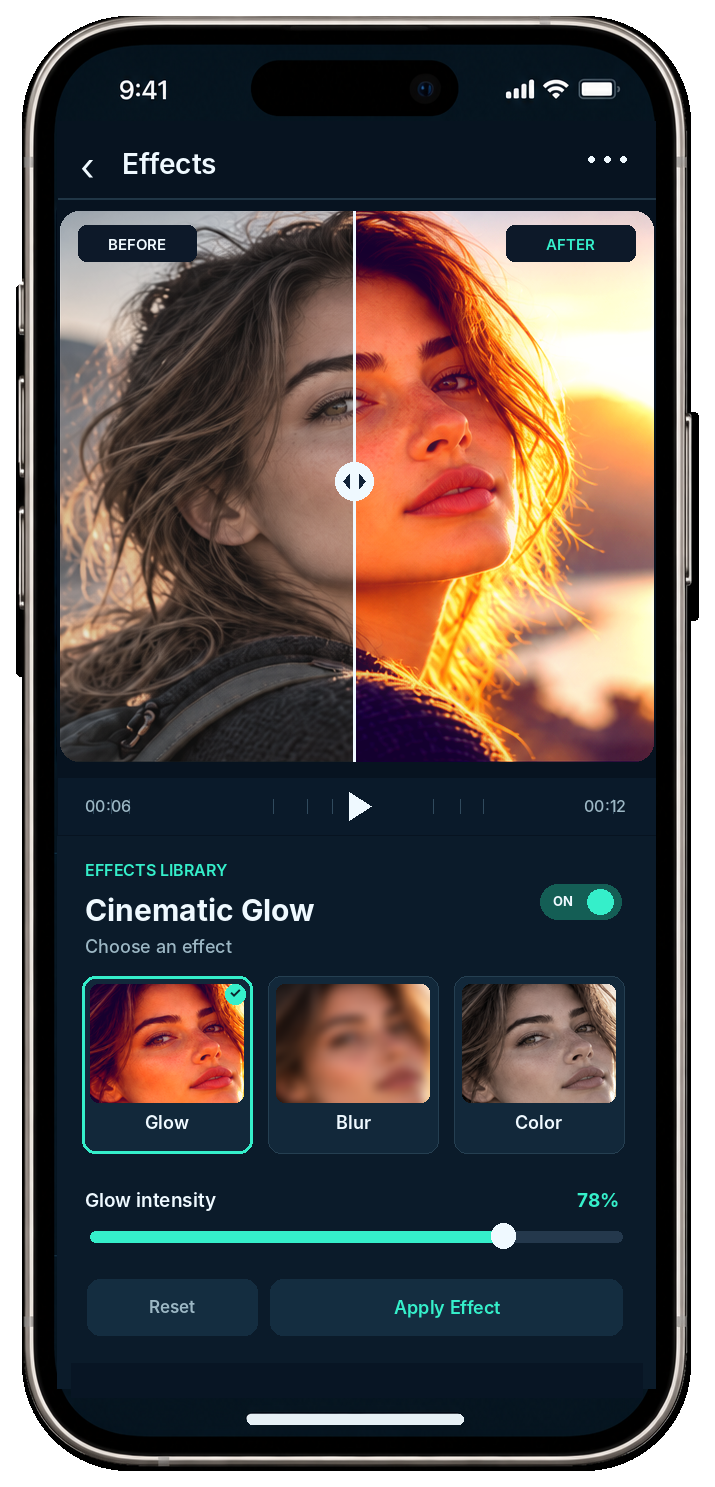
✓ Visual effects
Alight Motion at a glance
Alight Motion combines mobile editing with keyframe-based motion graphics. Free access includes basic features and watermarked exports; paid membership changes both.
Product
Mobile motion design, animation, compositing, and video editing
Desktop status
No native Windows or macOS edition is listed in current support guidance
Check the system requirements before installing. Apple support belongs in the iPhone and iPad guide; watermark options remain separate from pricing.
What can you create with Alight Motion?
Alight Motion builds layered video edits, motion graphics, animated text, composited scenes, and reusable projects on mobile devices. Keyframes define how each layer changes over time.
▱
Layered edits
Arrange graphics, video, and audio on a timeline with the beginner guide.
◇
Controlled animation
Set motion points, timing curves, and velocity with keyframes and easing.
✦
Visual treatments
Combine color, blur, distortion, masking, and motion tools from the effects library.
A
Animated typography
Import compatible typefaces, style text, and animate its properties with the fonts guide.
↗
Reusable assets
Start from templates and presets or transfer supported project data through XML.
⇄
Finished sequences
Build movement between scenes with Alight Motion transitions before exporting the project.
Who is Alight Motion best suited for?
Alight Motion suits mobile creators who want direct control over layers, keyframes, effects, and reusable assets. That control raises the learning curve.
Good fit
✓ Motion graphics, animated text, compositing, and precise timing
✓ Creators who prefer editable layers over preset-only edits
✓ Phone- or tablet-led production
Consider the trade-offs
→ Manual keyframes require practice
→ Dense projects place more pressure on RAM and the chipset
→ Desktop-first editors do not receive a native Windows or macOS workflow
Start with how to use Alight Motion if the timeline feels unfamiliar. The troubleshooting guide addresses slowdown; Alight Motion vs CapCut compares shared tasks.
Which Alight Motion download route should you choose?
Choose the route that matches your device and the type of Android file you want: a store installation, an Alight Motion APK, or a modified APK.
01
Store app
Choose the platform-managed listing when your device supports it. Apple users can open the iPhone and iPad route.
02
Alight Motion APK
Use the Alight Motion APK when you need an Android package with its own version, format, compatibility, and verification record.
03
Modified Android build
Review the Alight Motion Mod APK for version-specific changes. Modified builds are not publisher-controlled; features, signatures, update paths, and risks can differ from the Alight Motion APK.
Each route shows the file details, installation steps and download option relevant to that device.
Why does the latest Alight Motion version depend on platform and source?
Android, iPhone and iPad releases do not always carry the same version number. Use the version shown on the download page for your device and installation route.
The Alight Motion version archive covers older releases. If you already have the app installed, the update guide explains backups and installation conflicts.
5
Required version fields
✓ Platform
✓ Release channel
✓ Package source
✓ Architecture when applicable
✓ Verification date
Where can you find Alight Motion guides, resources, and fixes?
Choose the guide that matches your task to keep version details and steps together.
⬇
Acquisition and platforms
Android APK, Mod APK, iOS, and PC or Mac.
↻
Versions and compatibility
Version history, updates, and device requirements.
◇
Plans and exports
⌁
Project exchange
templates and presets, XML, and QR codes.
✦
Editing skills
Beginner workflow, keyframes, fonts, effects, and transitions.
⚙
Repairs and assets
problem diagnosis, export failures, project recovery, and logo files.
How should Alight Motion safety and file verification be evaluated?
An app or website’s reputation does not prove that every APK file is safe. Verification must attach evidence to the exact build.
A file record should show:
01
Exact version and build identity
02
File size and package format
03
SHA-256 hash—a digital fingerprint for the file
04
Signing-certificate or signature observation
05
Named malware-scan result
06
Scan or verification date
The Alight Motion APK and modified build require separate evidence. One clean result cannot transfer to another version, signature, or package. The requirements guide addresses compatibility.
Alight Motion questions
What is Alight Motion?
Alight Motion is a mobile motion-design and video-editing app introduced by Alight Creative for Android, iPhone, and iPad. The app combines layered media, keyframe animation, effects, compositing, text tools, and video export in a touch-based workflow.
What is Alight Motion used for?
Alight Motion creates motion graphics, animated text, video edits, visual effects, and composited scenes. Creators animate layer properties with keyframes, shape movement with easing curves, reuse project assets, and export completed work as visual media.
Does Alight Motion work on PC or Mac?
Alight Motion does not list a native Windows or macOS edition in its current support guidance. Desktop users need to understand the difference between native support and mobile emulation before following the PC and Mac guide.
How can you check the safety of an Alight Motion download?
An app-store download follows the store’s delivery process. A separate APK needs file-specific checks: compare its SHA-256 digital fingerprint, signing certificate, source and scan date. A result for one file does not prove another file is safe.
Where can I check the current Alight Motion version for my device?
The current version depends on your device and how you install the app. Check the Alight Motion APK or Mod APK file details for Android. For iPhone and iPad, see the iOS guide. The version archive covers older releases when verified files are available.